
How to Create a New Google My Business Profile the Right Way
Creating a Google My Business profile the right way is essential for Google Maps visibility, local SEO performance, and consistent lead generation.
Understanding Why Google My Business Profile Creation Matters
Creating a Google My Business profile is no longer a basic administrative task. It is the foundation of local visibility on Google Search and Google Maps. When potential customers search for services nearby, Google relies heavily on business profiles to decide which businesses to display. A properly created profile helps Google understand who you are, what you offer, and where you operate.
Businesses that start with Google My Business optimization services from the creation stage often avoid visibility issues later. A poorly created profile can struggle to rank even after months of effort, while a correctly created one can gain early traction with minimal optimization.
When You Should Create a New Google My Business Profile
A new Google My Business profile should only be created when your business does not already exist on Google Maps. Many businesses unknowingly create duplicate listings, which can lead to ranking suppression or suspension. Before creating a profile, it is important to search your business name, address, and phone number on Google Maps to confirm that no existing listing is present.
Businesses that consult Local Google My Business experts typically begin with a discovery check to avoid duplication. This simple step prevents long-term problems and ensures that your profile starts on a clean foundation.
Preparing Before You Create a Google My Business Profile
Before starting the creation process, you should have accurate and consistent business information ready. Google cross-checks your details across the web to establish trust. Your business name, address, phone number, website, and category should be finalized before you begin.
Businesses that rely on Google My Business management services often prepare this information in advance to avoid repeated edits, which can delay verification or trigger reviews by Google.
Step-by-Step Process to Create a New Google My Business Profile
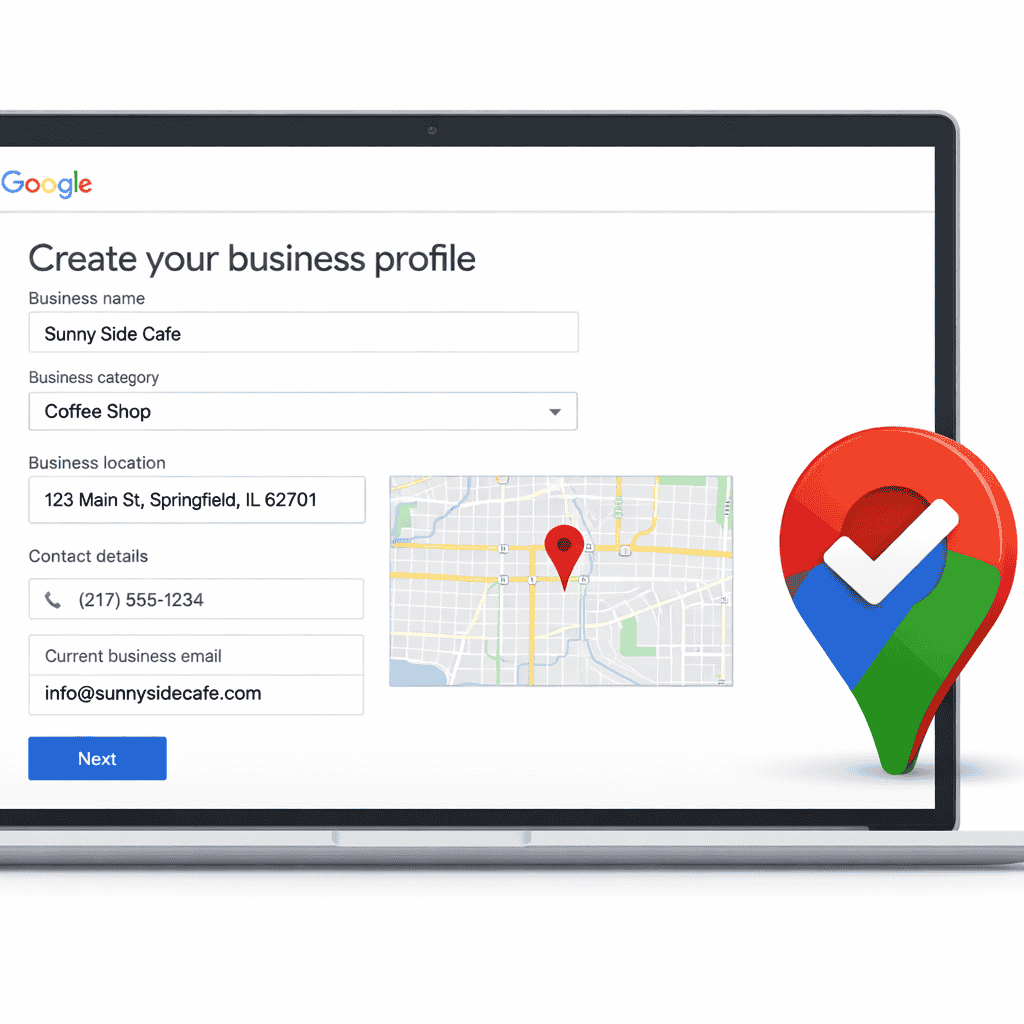
Creating a Google My Business profile begins by signing in to Google Business Profile Manager using a Google account associated with your business. You will be asked to enter your business name exactly as it appears in the real world. Adding keywords or extra descriptors at this stage can violate Google guidelines and reduce trust.
Next, you must choose a primary business category. This step is critical because Google uses your category to decide which searches your business should appear for. Many visibility issues later originate from incorrect category selection, which explains why is my Google My Business listing not showing up for relevant searches.
You will then be asked to provide your business location or service area. If you serve customers at a physical location, your address must be accurate and publicly accessible. If you operate as a service-area business, you should define your service locations correctly without displaying a private address.
Contact information, including phone number and website, must be entered carefully. This information becomes part of your public profile and directly affects lead generation.
The Importance of Business Category Selection
Business category selection is one of the strongest ranking factors in Google My Business. Google relies on this information to match your business with user search intent. Selecting a category that is too broad or irrelevant reduces your chances of appearing in local results.
A properly selected category improves relevance and helps your profile rank more consistently. Businesses that ignore this step often require later intervention through Google Maps visibility solutions to correct ranking issues caused by poor categorization.
Adding Accurate Business Information for Trust and Visibility
Accuracy is essential when creating a Google My Business profile. Google compares your business information across directories, websites, and other data sources. Any inconsistency can weaken trust signals and delay visibility.
Ensuring that your phone number is correct and consistent is especially important. Many businesses lose leads because their contact details are missing or hidden, which is why How to add phone number to Google Business Profile becomes a common follow-up step after creation.
Verifying Your Google My Business Profile
Verification is required before your profile becomes fully visible. Google may offer verification via postcard, phone, email, or video depending on your business type and history. Until verification is complete, your profile will not appear prominently in search results.
Incomplete or failed verification can lead to visibility delays and, in some cases, future policy issues. Businesses that encounter repeated verification problems sometimes require Google My Business suspension recovery due to incorrect setup during creation.
Common Mistakes During Google My Business Profile Creation
Many businesses unintentionally make mistakes during profile creation that impact long-term performance. These mistakes include adding keywords to the business name, using virtual or co-working addresses incorrectly, selecting unrelated categories, or creating multiple profiles for the same business.
These issues often require corrective actions through Google Maps ranking service support to restore visibility. Avoiding these mistakes from the beginning saves time and protects your profile.
What Happens After Your Google My Business Profile Is Created
Once your profile is created and verified, it enters Google’s local ranking ecosystem. However, creation alone does not guarantee visibility. Google evaluates profile activity, engagement, and completeness over time.
Businesses that stop at creation often wonder Why your Google My Business isn’t bringing leads despite having a verified profile. This happens because Google rewards profiles that are actively managed and optimized.
Why Optimization Is the Next Critical Step
After creation, optimization ensures that your profile remains competitive. Adding services, business descriptions, photos, and regular updates helps Google understand your relevance. Optimized profiles perform better in Google Maps and attract more user interactions.
This phase is where Google Business Profile optimization becomes essential for transforming a basic listing into a lead-generating asset.
How Google My Business Profile Creation Impacts Local SEO
Google My Business profile creation directly affects local SEO performance. Google uses business profiles as a primary data source for local results. A well-created profile strengthens your local SEO signals and improves your chances of appearing in relevant searches.
Profiles that start with clean, accurate data require fewer corrections later and adapt better to algorithm updates.
The Role of Google My Business in Voice Search and AI Results
Voice search and AI-driven results rely heavily on structured business data. Google pulls information from Google My Business profiles to answer voice queries and generate AI-based recommendations.
Profiles that are created correctly with accurate information are more likely to be selected for voice search results, improving future visibility beyond traditional search.
How GMBPro Helps Businesses Create Google My Business Profiles Correctly
GMBPro helps businesses create Google My Business profiles with long-term success in mind. Our approach focuses on compliance, accuracy, and readiness for optimization. By handling setup correctly, we help businesses avoid common mistakes that lead to visibility loss.
From initial creation to early-stage Google My Business visibility improvement, GMBPro ensures that profiles are positioned for sustainable growth.
Frequently Asked Questions
How do I create a new Google My Business profile correctly from scratch?
Creating a new Google My Business profile involves entering accurate business information, selecting the correct category, defining your location or service area, and completing verification before optimization begins.
Can I create multiple Google My Business profiles for the same business location?
No. Creating multiple profiles for the same business can lead to suspension or ranking suppression and may require Google My Business suspension recovery to fix.
How long does it take for a new Google My Business profile to appear on Google Maps?
After verification, most profiles appear within a few days, although some may take longer depending on Google’s review process.
Is professional help necessary to create a Google My Business profile?
Professional help is not mandatory, but it ensures correct setup, avoids policy violations, and prepares the profile for effective Google My Business optimization services.
Final Thoughts
Creating a new Google My Business profile the right way sets the foundation for local visibility, trust, and lead generation. Businesses that treat profile creation seriously avoid long-term issues and gain faster results in Google Search and Maps.
A properly created profile supports future optimization, improves local SEO performance, and increases the likelihood of converting visibility into real customers. If you want to ensure your Google My Business profile is created, verified, and prepared for growth from day one, professional guidance can make a measurable difference.
You can Book a free Google My Business audit, Get expert Google My Business help, or Talk to a Google My Business specialist to start with confidence and build a strong local presence.